Our Music Video


Our Music Video

Digipack

Digipack
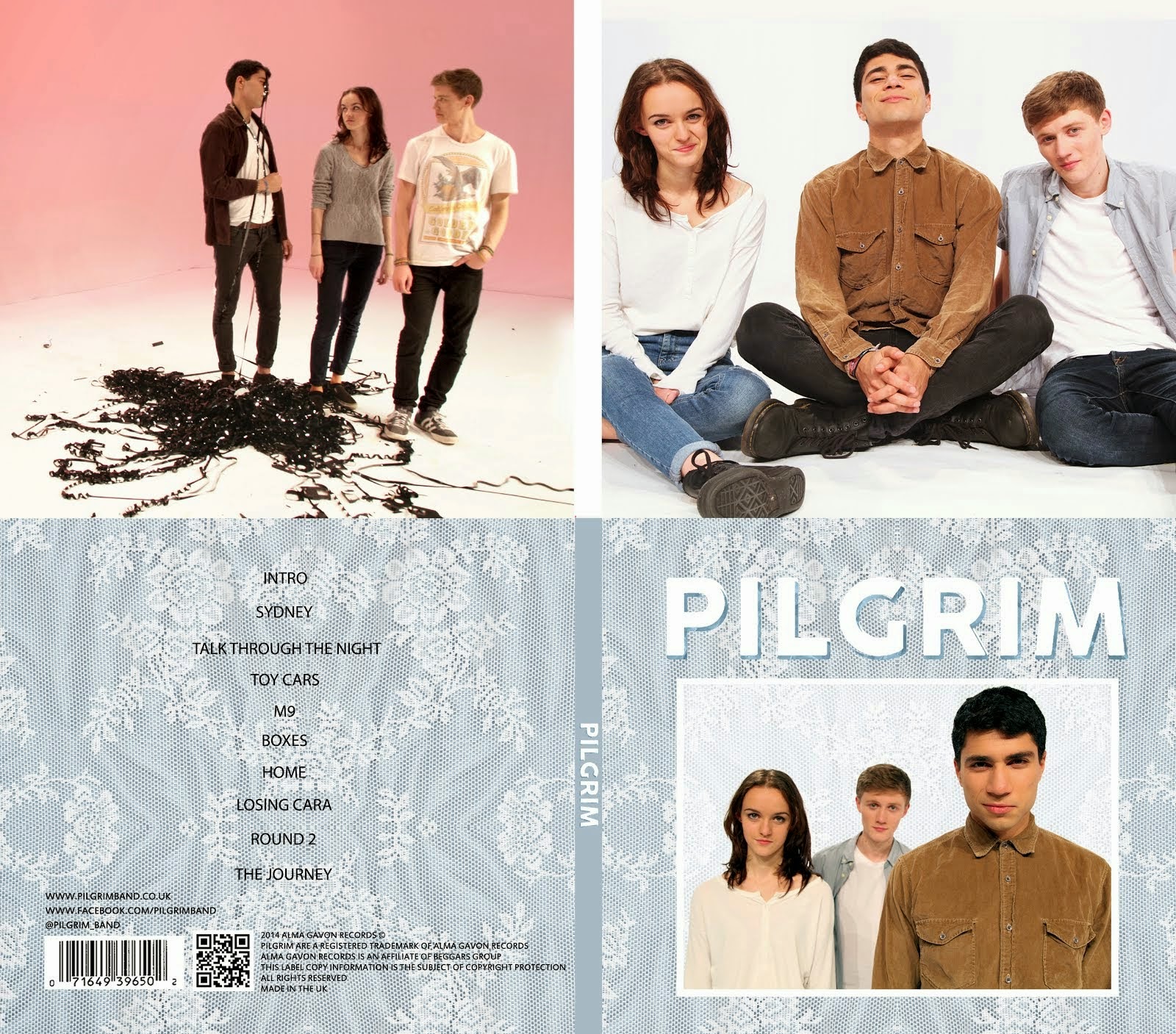
Our Digipack (Bottom Right, anti-clockwise: Front Cover, Back Cover, Left Inside Panel, Right Inside Panel)


Our Website (click to enter)


My name is Mahalia John (0345) and welcome to my A2 media blog.

I am part of Group 1 along with Alice Cahill (0130), Kayvon Nabijou (0610) and Gavin Fraser (0245).

You can navigate my blog using the right hand side column where you will find:

My A2 post labels including posts for the A2 Prelim, A2 research and planning and A2 Production

A live link to The Latymer School Music Video Blog

The blog archive of all my posts


Thank you for taking the time to look at my blog

Here is the live link to Group 1's Facebook Page

Monday, 29 December 2014

3. What Have You Learned From Your Audience Feedback?

Feedback played an important role for us throughout our project: In research & planning, construction and evaluation.

We did research into and built profiles of our target audiences and conducted feedback sessions using and online survey and on-to-one interviews.

Our Target Audience


Primary Audience - Indie fans of all ages (Scroll left and right to see more)


Secondary Audience - UK 16-24 year olds (Scroll left and right to see more)


How we appealed to them

When considering the appeal our artist and artefacts would have to our target audience we used various theories and theorists including Goodwin, Post-modernism and Uses & Gratifications.

Uses & Gratifications

Blumler and Katz's theory states that audiences choose and use media texts for four different reasons, here is how it applies to a real media text: George Ezra's video for 'Blame It On Me'


How we used Uses & Gratifications


Below is a Prezi detailing how we applied Katz & Bulmer's gratification theory to our own video.


Goodwin

We used particular sections of Goodwin's theory, including genre conventions and visual hooks, to appeal to our target audience.

Genre Conventions

By following conventions of the indie genre, we constructed three artefacts that are familiar to audiences and that are clearly identifiable as part of the indie genre. However, by also breaking conventions we made our artefacts unique and original which gave our audiences fresh, new media texts.

Visual Hooks


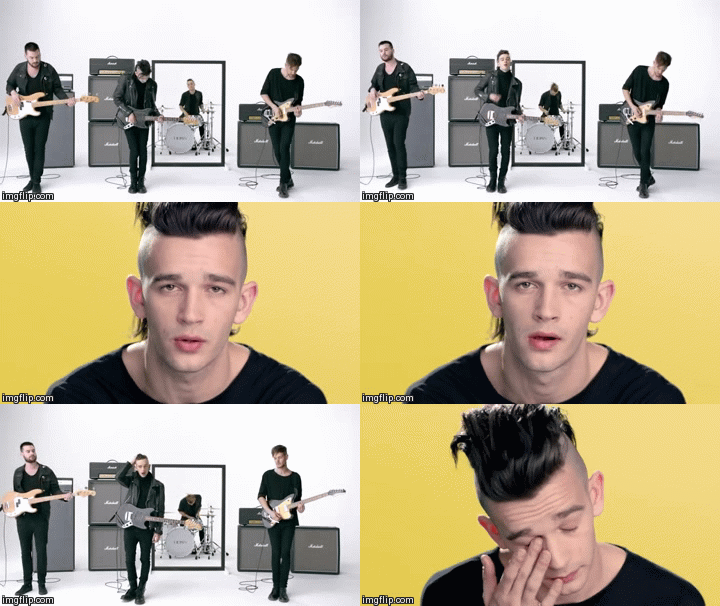
By including visual hooks in our video we allowed the audience to immerse themselves in the world of the video. CU 'beauty' shots of the band encourage the audience to engage with Pilgrim and buy into their star image.

Beauty Shots

Post-modernism

Our use of post-modernism in our music video gave our audience another way to relate to and engage with our artist. We referenced toys and pop culture from the youths of our audience, which not only provided the audience with recognisable iconography but created a sense of nostalgia for them to reminisce in.
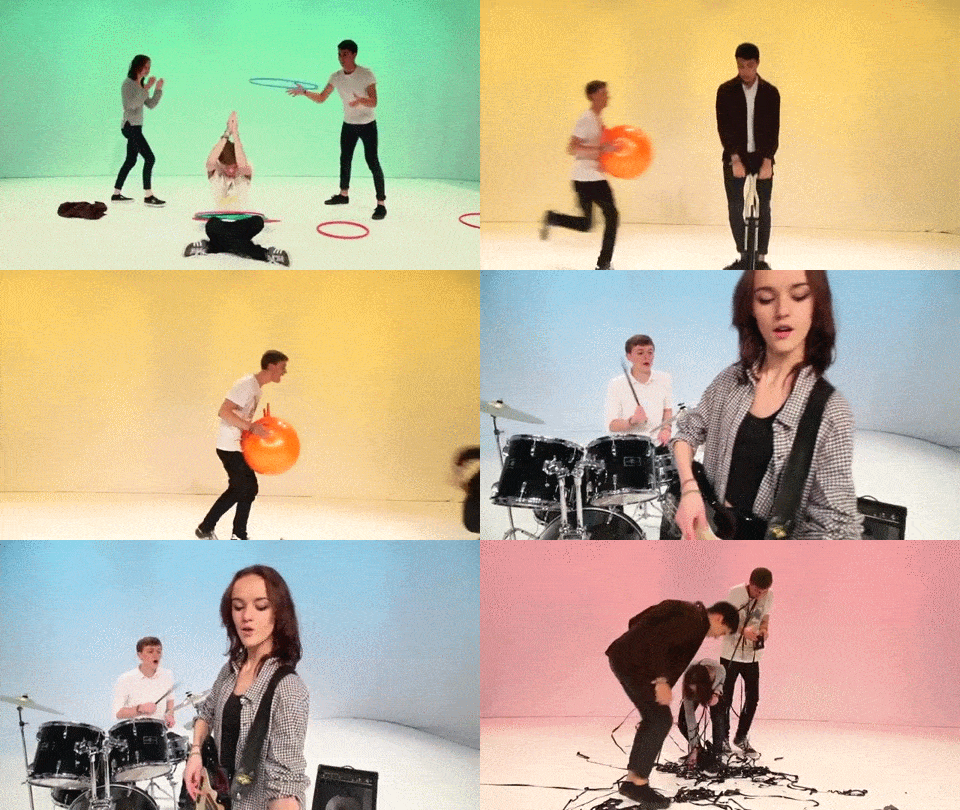
Examples of post-modernism in our video

Construction

We looked at Stuart Hall's theory which states that different audiences 'decode' media texts differently. Throughout the process of constructing our artefacts we held audience feedback sessions with members of our target audience. From commenting on the video as a whole to choosing between our chosen textures, this feedback really helped us to keep our audience in mind.

Members of our target audience in a feedback session
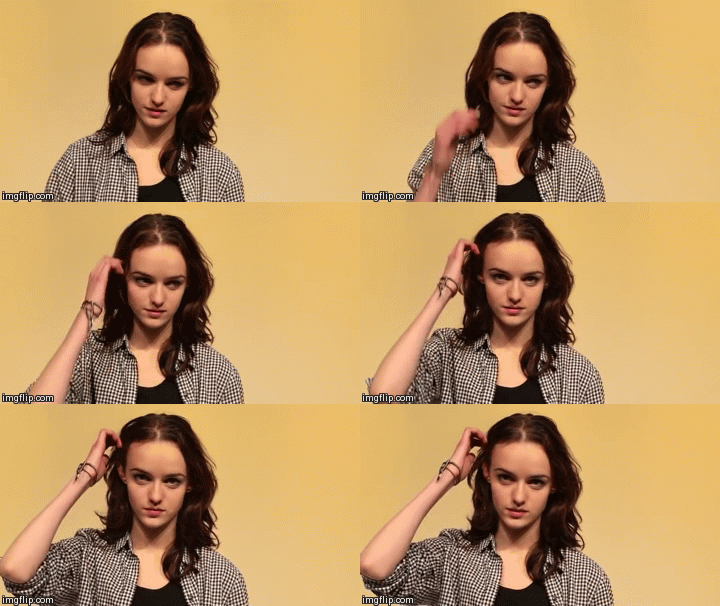
We learned that sometimes our audience perceived things differently to us. For example, while editing I thought that this shot of Alice made her look sad and so didn't fit in with our video; but when we asked members of our target audience they said that, to them, she didn't look sad and that it fit with the bridge which is a slower, more mellow part of the song.

The shot of Alice

We also learned the different ways that audience perceive our artist image. When designing our album cover we chose this photo because we felt that it connoted the band's playful image.

The image we chose
However, during audience feedback sessions we got mixed reviews: some liked the photo but others thought it didn't make Pilgrim look like a real band. Because the majority of our audience didn't like it we chose another one.

The second photo we chose
Audience feedback during construction was extremely useful to us and enabled us to create 3 artefacts that are hopefully commercially viable with out target audience.


Music Video Feedback

To get feedback for our music video we created a survey using Survey Monkey which is embedded below. We chose to ask questions that gave us qualitative data because we felt that it would be easier to find out what the audience did and didn't like.


Here is what we learned from the survey responses:


The video was identifiable as indie:


The majority of the responses identified our video as part of the indie genre. However, some participants thought it was a pop video; This was probably because of the bright colours which are usually associated with the pop genre.

Meghan Trainor's video for her Pop single 'Lips Are Movin''

Our themes of friendship and nostalgia were easily recognised:


Although 'fun' was common among the responses, it still fits in with our themes even if it we did not originally plan it. The responses tell us that we successfully conveyed the themes of nostalgia and friendship through our set, concept and props.


Lack of Narrative:


Some participants stated that they would have liked the video to have a narrative. It is conventional for indie music videos to have a narrative but we intentionally chose to break this convention because we felt that the themes could be conveyed without one.


Camerwork + Editing:


A lot of respondents praised our camerawork and editing, this shows that the consistent visual style we came up with was liked by our audience and worked with the track.


Website Feedback

Instead of a survey we held one-to-one feedback sessions, below are some of the quotes that we got and what we learned from them (scroll down to see more):


Album Cover Feedback

In the same sessions we also got feedback on our album cover. Here is what we learned (scroll down to see more):


Top 3 things we learned from all audience feedback

1. That we successfully met the needs of our audience but focused more on the 16-24 years old and tech savvy demographics.

2. We successfully made artefacts identifiable as part of the indie genre but, due to our creative decisions, had unintentionally taken influence from other genres such as Pop.

3. Conforming to Stuart Hall's negotiated readings theory, audience members often had different opinions to us. In construction and they read our texts slightly differently to us in feedback.

4. How Did You Use New Media Technologies In The Construction And Research, Planning And Evaluation Stages?

Throughout this project we have used technology not just to create our artefacts but to communicate and gain feedback too.

Below is a diagram of all the tech we used:


Throughout our project we used a whole range of technologies for various tasks:


Research and Planning


Research of Influences

Throughout the project, we have been constantly looking for examples of music videos, album covers and websites. These provided us with inspiration as well as the form and conventions of the indie genre.

We created playlists of influential music videos on Youtube that were accessible on all of our devices: desktops, laptops, smartphones and iPads. This meant that wherever we were planning we had access to our inspiration.

Our Youtube Playlist


We used Google Chrome and Internet Explorer to find and collect album covers and websites which we were then easily able to embed on our blogs. However, some artist's websites were not designed for mobile devices so we didn't have access to their layout on the iPads and our smartphones.

The Rizzle Kicks website using a mobile


Choosing a Song - itunes, spotify, youtube

To find possible options for songs I looked through my iTunes library and also my saved music on Spotify. Once I had my options I embedded them on my blog through youtube, the rest of the group did the same.

My iTunes Library
My Spotify Saved Music
Narrowing down our options was really easy as we were able to sit around one computer looking through all of our blogs and eliminating songs we didn't think would work.

Communication - Facebook

Because not all of our planning took place in school, our group needed a way to communicate. We found that Facebook was the best as it was instant and accessible on our smartphones, computers and tablets.

We had a group page where we posted questions and updates that the rest of the group could comment on and a group chat for more immediate questions. We used both to organise production meetings, raise and solve issues and remind each other about props, shoot dates and costumes.

Our Group Page

A post I made to the group

Facebook worked really well for this as the whole group could be contacted at anytime because we all own technologically converged smartphones and it was a platform that we were all very familiar with.

Steal-o-matic and Animatic - adobe, keepvid

Our steal-o-matic and animatic were essential in making sure that our group all had a similar vision for our music video.

We used KeepVid to download our influential videos from Youtube, it was simple to use and quick. However, we weren't able to download some videos in 1080p with both video and sound due to restrictions on the website. This was frustrating as not all of the clips were the same quality but we combatted this by scaling the lower quality videos up in Premiere Pro.

Adobe Premiere Pro was easy to use as we already knew how to edit clips and music and add text.


Sourcing and Buying Props - amazon, Go international

Our props are such a vital part of our music video and we sourced them from two websites: Amazon UK and Go International. Both were simple and easy to use, between them we were able to find all of our props. However, Go International had a £30 minimum spend per order so we combined our order with another group's. The disadvantage of this was that those props came later than the rest but we had ordered early enough in advance that everything arrived in time.

The slinky we ordered from Amazon

Go International's minimum spending price


Construction


Working in the Studio

Shooting - 5D MKII

We used the Canon 5D MKII to shoot our music video and to take our publicity shots.

Taking Publicity Shots
Me setting up a shot

It was very easy to use as it has a similar layout to other Canon DSLRs, which I know how to use, and was very lightweight so was easy to do the moving shots with. One feature that was particularly useful was the Picture Style, where I was able to adjust the sharpness, contrast, saturation and colour tone in camera. This meant that we had less to do when grading.

Picture Style menu

Although there are preset picture styles I chose to create a custom one by pushing the sharpness all the way down and the contrast and saturation up a little to create a smoother brighter image.

The Jenga Setup

A downfall of the 5D MKII is that the Autofocus in video mode does not work properly,  so sometimes when reviewing footage we found that some of it was unusable especially when we had used the glidecam.

Me adjusting the glidecam


Playback - Macbook Pro, 50 Inch Playback

While we were shooting we connected the Canon 5D MKII to a 50 Inch TV Monitor, this meant we were able to easily focus and frame as well as review footage as a group easily.

Setting up a shot after reviewing it on the monitor

However, the HDMI wire connecting the two often came loose so I was constantly having to adjust it. In hindsight, I would have used a port protector to keep it in place.

Port Protector
We used the Macbook Pro to play 'Talk Through The Night' over the studio's speaker system because we needed it to be loud enough for Gavin, Alice and Kayvon to lipsync and play in time.


Lighting - ARRI Redhead 100K Lights, Leapfrog Lighting desk

We used ARRI Redhead 100K Lights to light our set using the Leapfrog Lighting Desk. Both were easy to use and the lights had a whole range of coloured gels on them that we used to create our coloured backdrops. We were also able to save our lighting presets which saved us lots of time when shooting.

Kayvon Adjusting the lights
Kayvon at the Lighting desk

However, the lights had to be moved manually and getting the positioning of each light took some practice. We were much better after having set up the lights for a few shoots.

At the beginning our lighting was not evenly distributed so the shots were too dark but by the end of shooting we had solved this.

Editing the Music Video - Adobe Premiere Pro, Adobe After Effects

Adobe Premiere Pro uses track-based editing which is easy to use and make changes to, we cut and adjusted our clips in the main sequence. Having the option to create multiple sequences in the same project was particularly useful, as it meant we were able to sync up and cut down shots before copying them into the main sequence, this avoided cluttering it up.

[screen shot of sequences/photo of alice editing]

We also used Premiere Pro for grading. The ProcAmp tool allowed us to adjust contrast and brightness where we had under or over exposed shots.

ProcAmp Tool

The three-way colour corrector tool allowed us to make our shots warmer by making them slightly orange, this fit with the playful and fun aesthetic of the video.

Three-way colour corrector tool

We also used Adobe After Effects for stabilisation and to clean up our tracking shots. One problem was that the clips that had been edited on After Effects could not be played in Premiere Pro unless you exported the video out. This was incredibly frustrating but we got around it by opening the individual clips in After Effects to watch them.

Creating the Website - Wix

Wix was an online tool that allowed us to design and create our website. Using it was easy and it did not restrict us in our creative choices as we were able to edit images, text and decide the size, colour shape of everything.

The pre-made layouts for photos were particularly helpful, as we were able to achieve a professional looking photo gallery quickly and easily.

One of our photo galleries

The disadvantages of this software were that it took a while to get used to how Wix worked and that if we used it on Google Chrome it often crashed without saving our work. To get around this we switched browsers as it did not crash on Internet Explorer.

The crash page

Social Media - Facebook, Instagram, Twitter

Again, we used Facebook to communicate within our group about shoot dates, costumes and editing decisions.

Alice asking for feedback on the digipak

We also used Facebook, Instagram and Twitter to widen Pilgrim's reach. We created accounts on all three social media sites and invited people to like and follow us. This gave our audience more ways to interact with and learn about the band.

...
Pilgrim's Social Media Accounts


Evaluation


Audience Feedback - Survey Monkey


To get audience feedback on our music video, we created an online survey using Survey Monkey which was then filled out by strangers, friends and family. It was easy to create and we had a variety of options for types of questions we wanted to ask.

Some of the question types

However, because we had not upgraded to a premium membership there were some restrictions placed on us such as a 10 question limit on each survey. Though this was not too big an issue as it just meant we had to select our questions carefully.


Creating Gifs - Imgflip, GifYoutube

To create gifs illustrating my points I used both Imgflip and GifYoutube.

Imgflip was easier to use and gave you more options, but gifs created in it all have a watermark in the bottom corner.

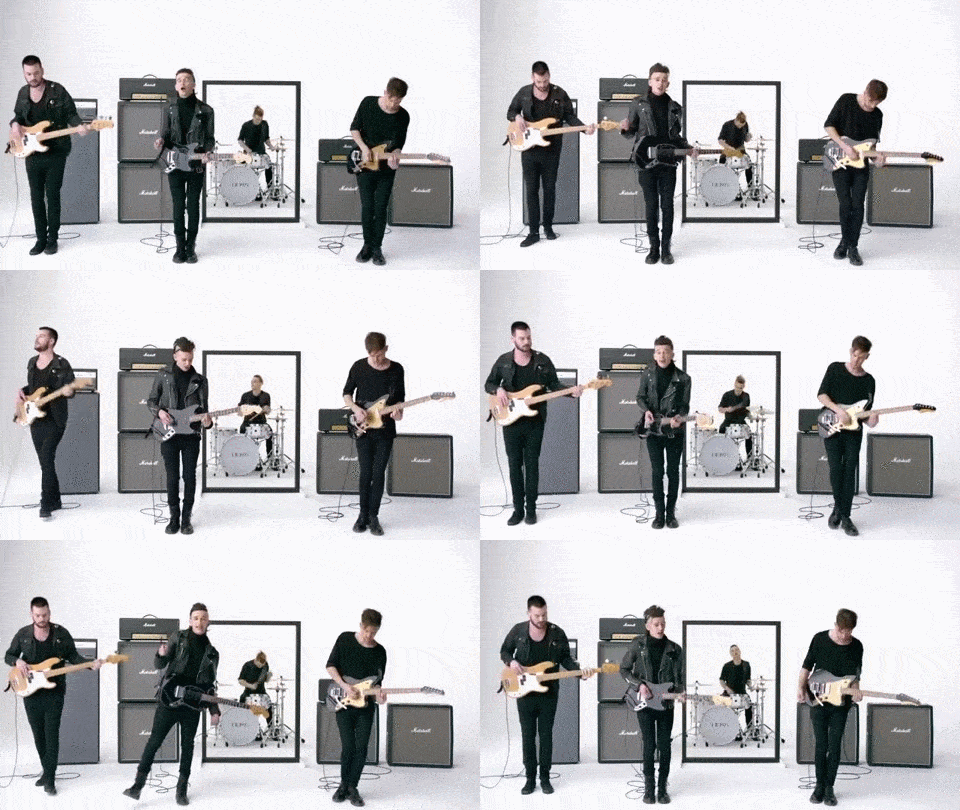
An example of a gif made with Imgflip

Imgflip interface

GifYoutube was simpler and there was no watermark but it often took too long to load and I ended up using Imgflip instead.

An example of a gif made with GifYoutube
GifYoutube's simpler interface


Social Media - Facebook, Twitter

In order to get people to answer our survey we shared it on Facebook. In addition, our family members also shared it so we got stranger feedback from their friends.

My Post
My family member's post

We also shared it on Dog Is Dead's Facebook page and tweeted it to them to get more responses.

Our Tweets
The Facebook post


Overall, technology has aided us greatly in this project. The proliferation of recent technologies over the past 10 years has enabled us to communicate and create in faster, more efficient ways and ultimately allowed us to create three artefacts that would have been entirely different 10 years ago.